Pharma intelligence for talent acquisition
Whodini helps pharma recruiters find the right companies to source from and screen candidates faster.
Free to use. No credit card or password required. Just enter your work email, get a code, and you’re in.

Pharma is the hardest industry to recruit for.
A candidate’s profile doesn’t tell the whole story. Drugs go by different names at different stages, not just the one you know.
And knowing where someone worked isn’t enough; what matters is whether they were there when the drug was at the exact clinical stage you’re hiring for.
Whodini provides intelligence on 15,000+ drugs and 10,000+ companies, so you can be a specialist on every search and screen in seconds, not hours.
How Whodini helps talent teams.
It all starts with a conversation.
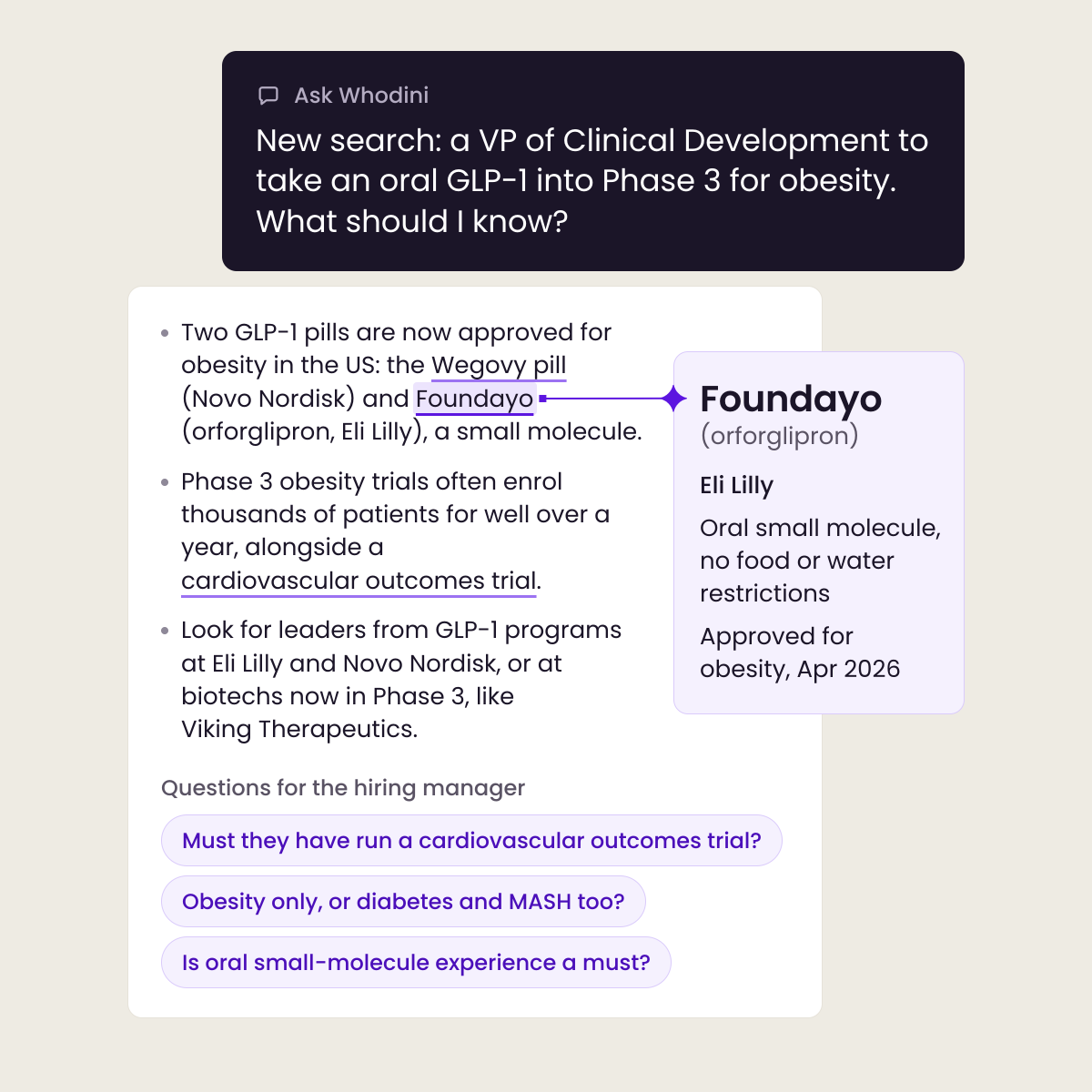
Describe the role. Whodini handles the science.
Describe your search in plain English, and Whodini explains the relevant drugs, therapies, and scientific terms, then points you to the right companies to source from.
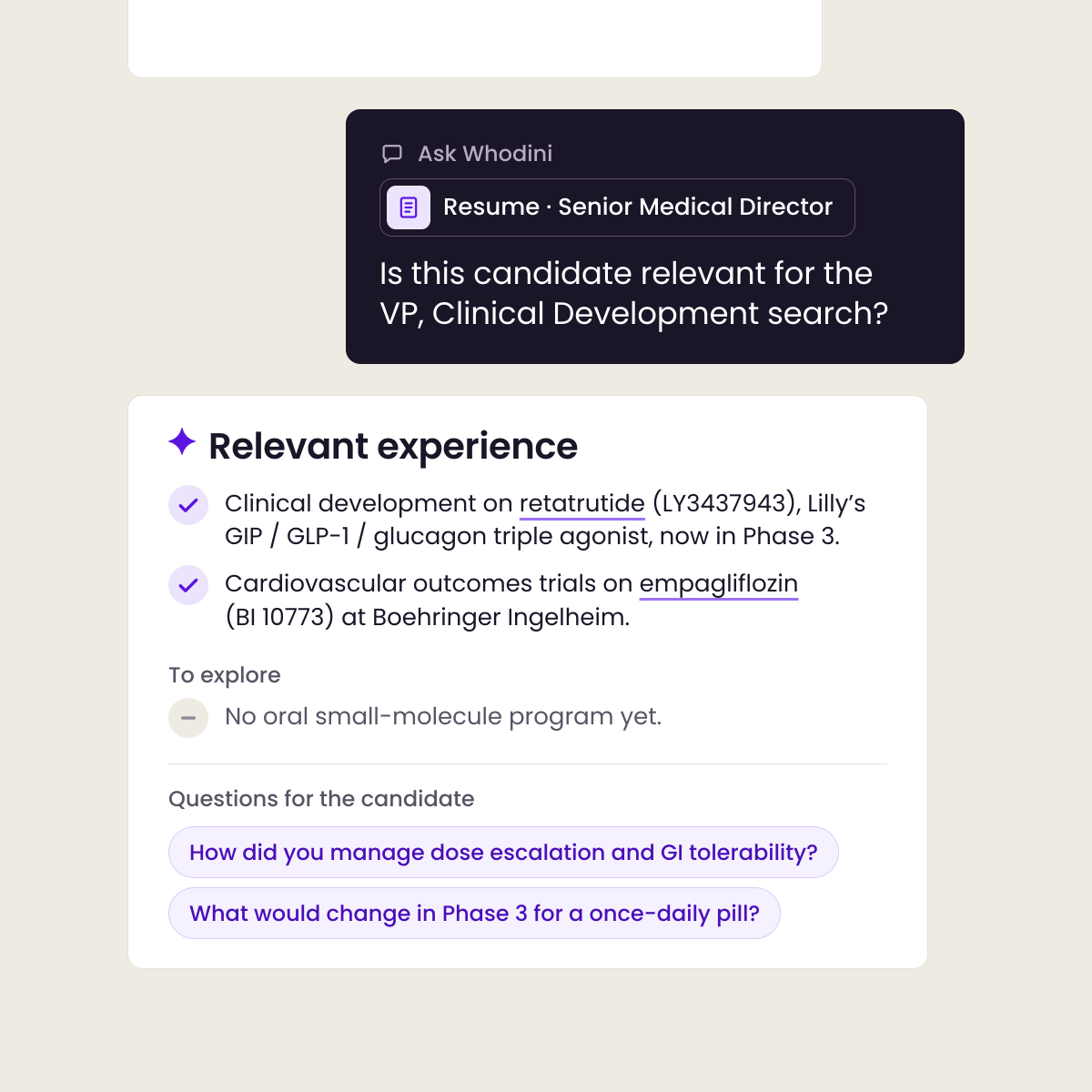
Ask about a candidate you already have in mind, and Whodini shows how their experience fits your need, with suggested follow-up questions for the candidate and hiring manager.
Know where to look.
From the right drugs to the right candidates.
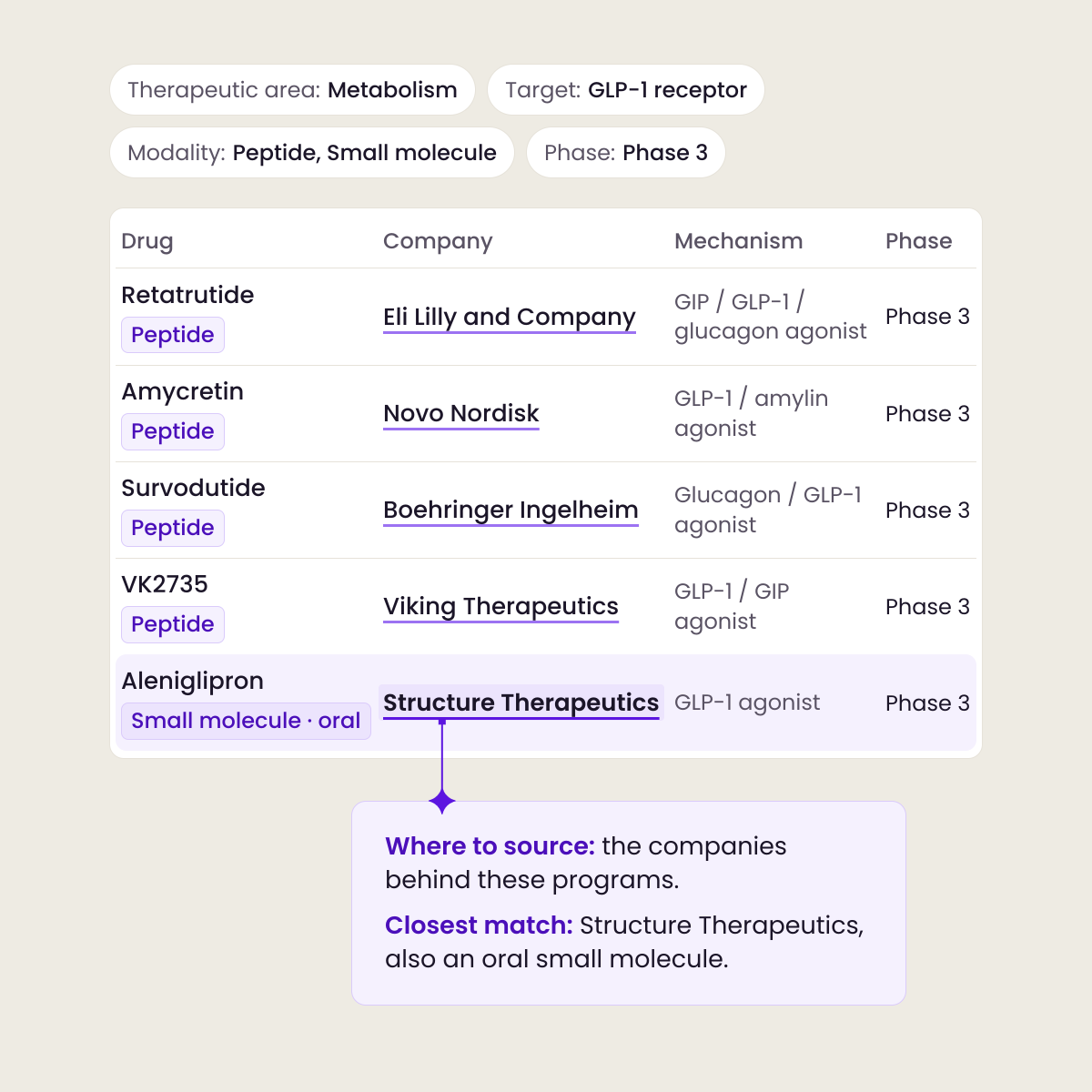
Narrow 15,000+ drugs by therapeutic area, modality, phase, and more to find the ones closest to your role, and Whodini hands you a targeted list of companies to source from.
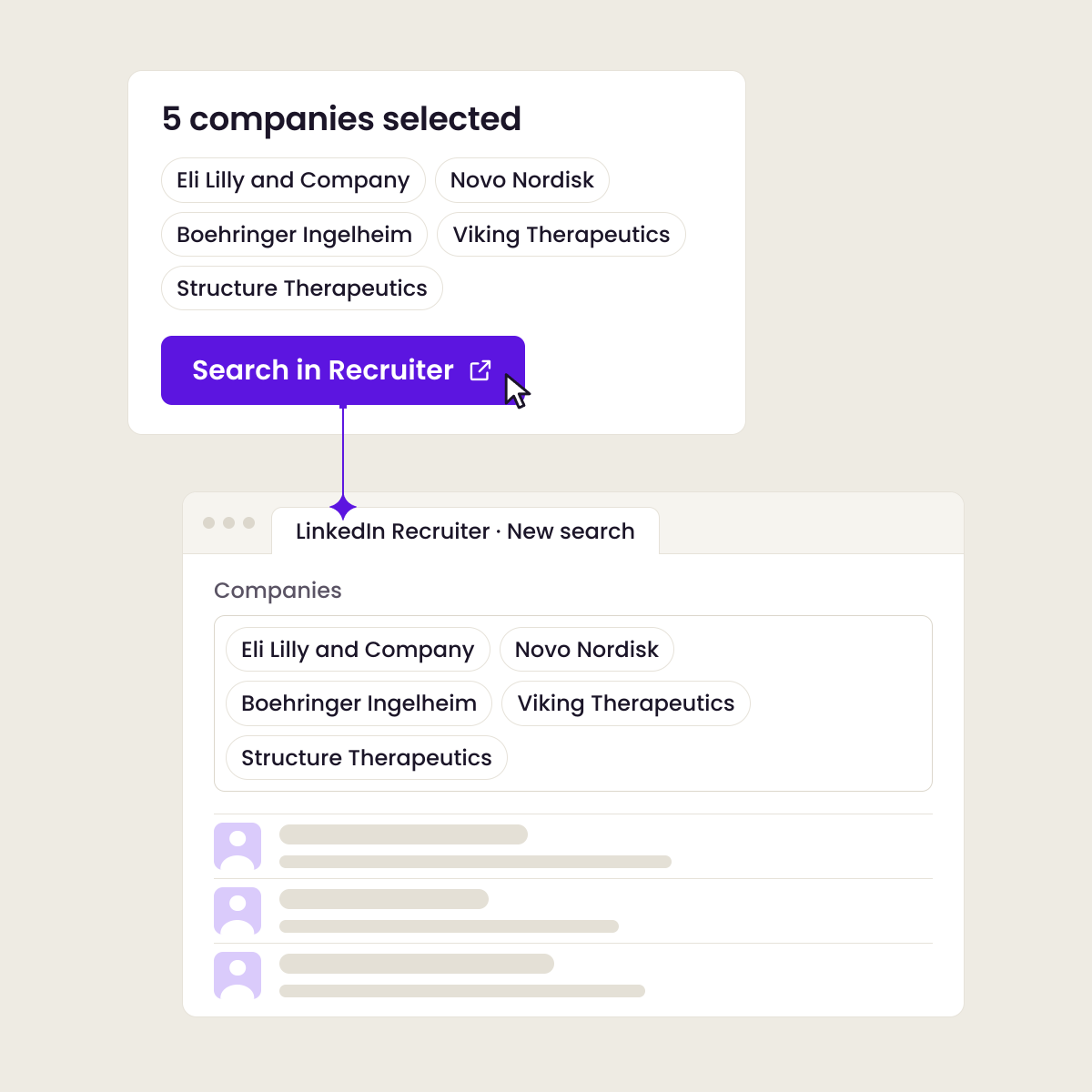
Search with one click: send that list to LinkedIn Recruiter and Whodini launches a ready-to-run search, so you go straight to the candidates worth talking to. No copying, no pasting.
Understand who you find.
Every drug and company, decoded at a glance.
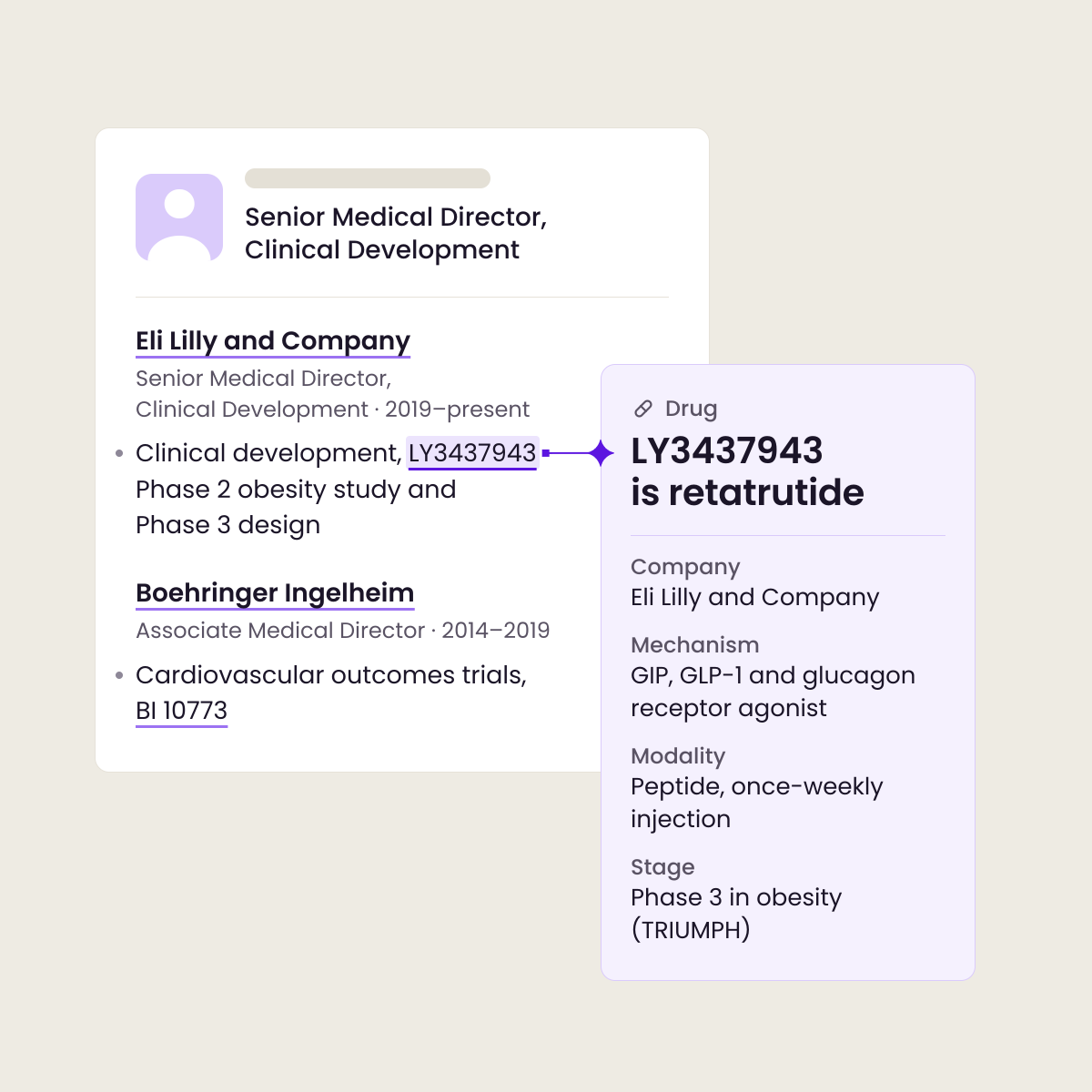
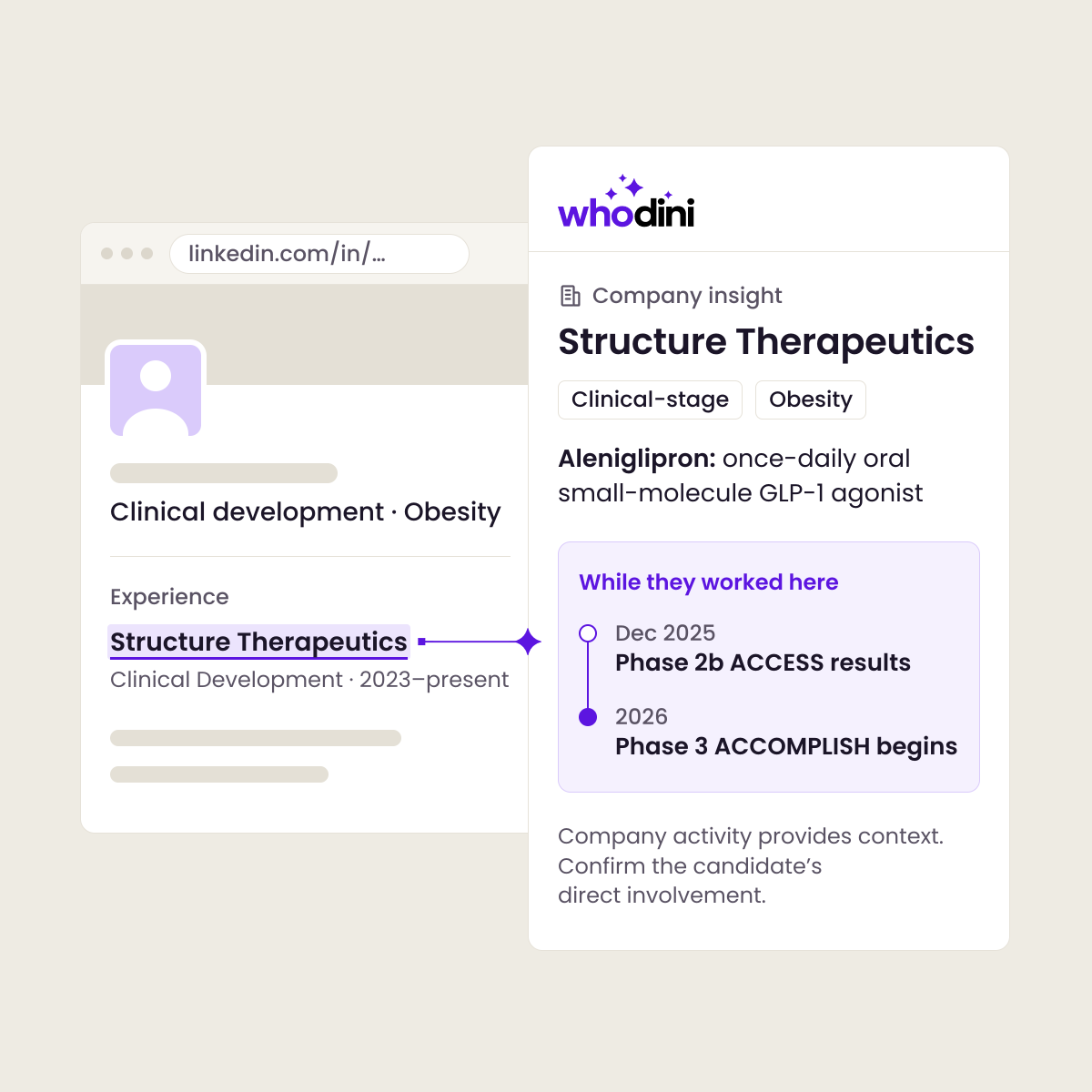
Screen a candidate in seconds. Bring their profile or resume into Whodini, and every drug and company they mention is highlighted and explained. Whodini matches prior drug and company names to current ones, and flags relevant clinical stages reached during the candidate’s time there.
Install the Whodini browser extension, and the same drug and company insights appear right on a candidate’s LinkedIn profile. No more tab switching, no more googling unfamiliar terms, just faster screening, the way you already work.
One job req or dozens. No problem.
Every search, organized in one place.
Save the people, drugs, and companies behind each role in a project, so everything for that search stays together as you build your target list and review candidates.
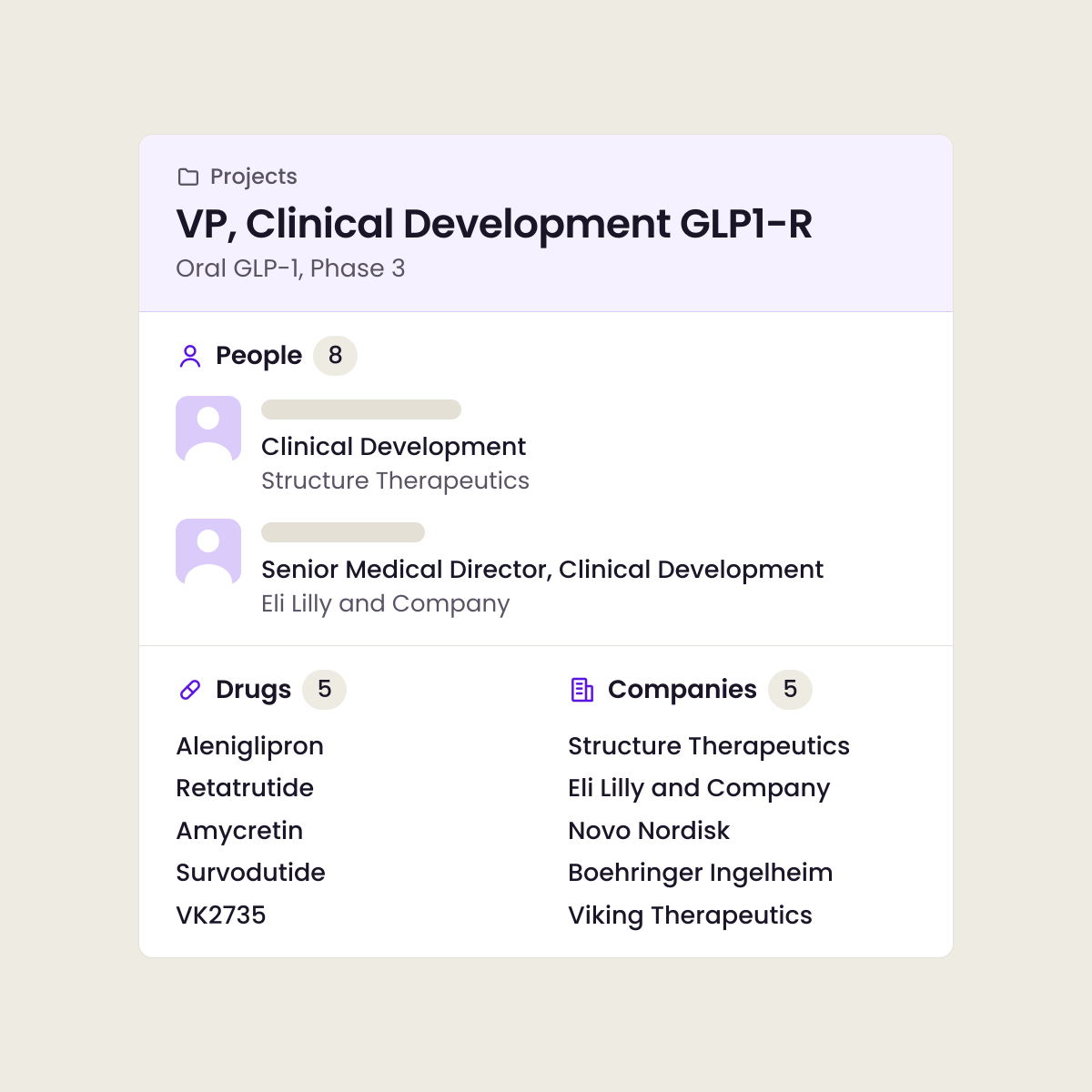
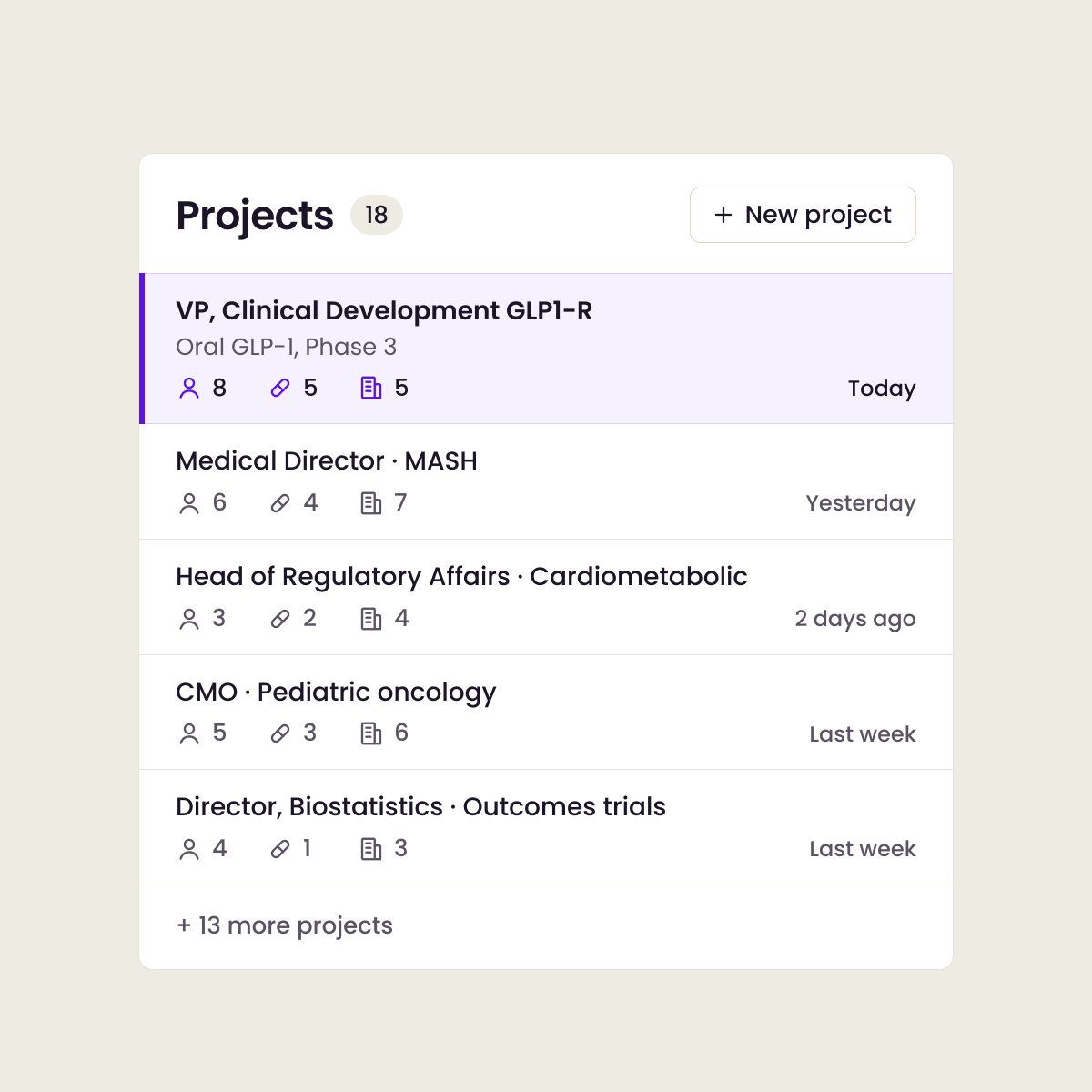
Switch between searches without losing your place. Whether you’re running one search or thirty, each project keeps drugs, companies, and people organized, ready when you pick it back up.


Built for recruiters, agencies, and hiring teams.
In-house or agency, Whodini makes you a specialist on every search.
Build sharper target lists, screen with confidence, and send candidates you can stand behind. Walk into every conversation with a hiring manager or client speaking the language of pharma.
Pharma is still the hardest industry to recruit for. Now you’re ready for it.
What is Whodini?
Whodini is an AI research assistant for pharma recruiters. It explains the drugs, therapies, and companies behind a candidate’s experience, helps you find the right companies to source from, and shows you where a candidate’s timeline overlaps with the stage you’re hiring for. It works in the Whodini web application and, with the browser extension, directly on LinkedIn and LinkedIn Recruiter.
Is Whodini free?
Yes. Whodini is free to use today, with no credit card required. We may introduce paid plans in the future. If we do, we’ll give you at least 30 days’ notice before anything changes.
Is the browser extension required?
No. The Whodini web application works on its own, and you can use it to ask questions, build target lists, and review resumes and profiles. The Whodini browser extension is optional. It brings the same drug and company insights directly onto LinkedIn and LinkedIn Recruiter profiles, so you can screen without switching tabs.
Can I upload a resume or review a LinkedIn profile?
Yes to both. Bring a resume or profile into Whodini, and every drug and company on it is highlighted and explained, with prior names matched to current ones. With the browser extension, you can get the same insights right on a candidate’s LinkedIn or LinkedIn Recruiter profile.
What information does Whodini cover?
Whodini covers 15,000+ drugs and 10,000+ companies, including therapeutic areas, modalities, clinical trial phases, FDA approvals, competitors, and company financials. The data is trusted and verified, with prior names for drugs and companies matched to current ones so older resumes and profiles still make sense. It’s updated regularly.
Your next search starts here.
Bring a drug, a company, a profile, or a question.
Get started freeFree to use. No credit card or password required. Just enter your work email, get a code, and you’re in.